
Steganography tools hide a file or message inside an ordinary-looking image, audio clip or video. The well-known ones are old, free and built for different jobs: steghide for JPEG and WAV on the command line, OpenStego for PNG images and watermarks, OutGuess for JPEG research, OpenPuff for multi-file hiding on Windows, and a long tail of online encoders. This guide compares them by what they hide in, when they were last updated, what defeats them and who each one suits, and explains where HideFile fits and where it does not.
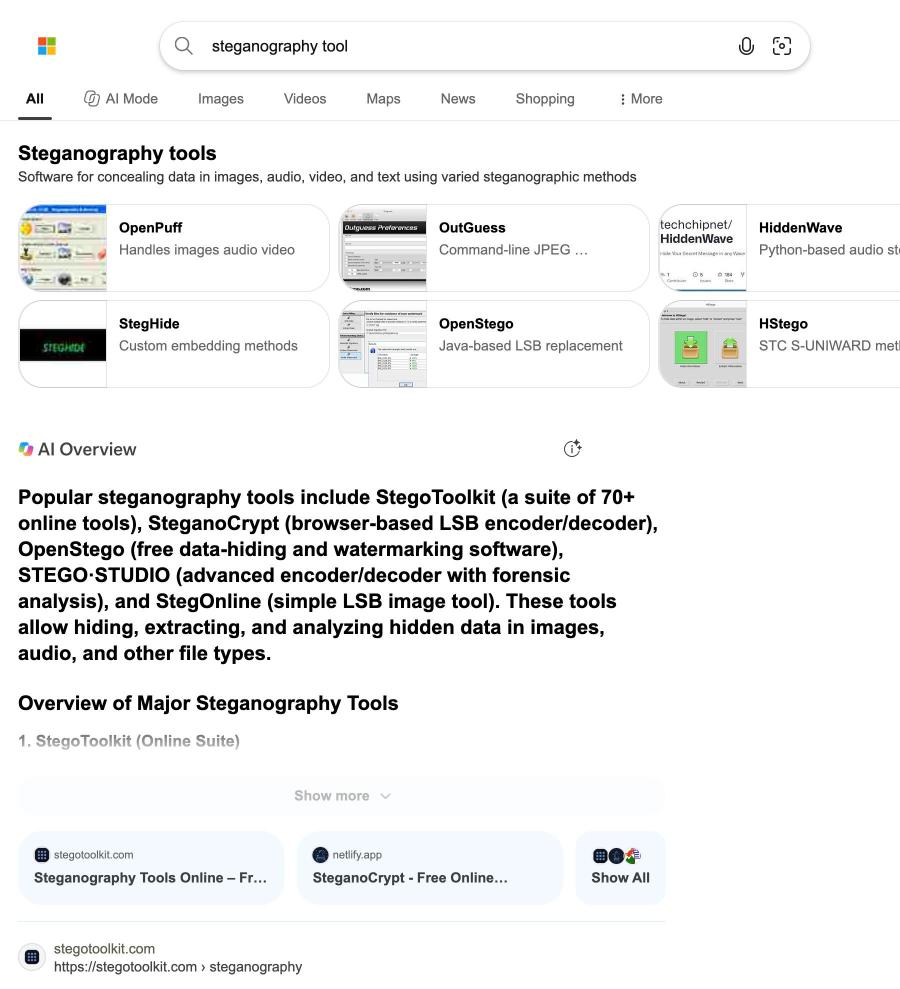
Search for "steganography tool" on Bing and the answer is a carousel of the same names, followed by an AI summary that recommends browser-based LSB encoders. What neither tells you is that the most famous tool has not had a release since 2003, or that a cracker can try fourteen million passwords against it in two seconds.
Steganography tools at a glance
| Tool | Hides in | Last release | Interface | What defeats it | Suits | | --- | --- | --- | --- | --- | --- | | steghide | JPEG, BMP, WAV, AU | 0.5.1, October 2003 | Command line | stegseek cracks weak passphrases and detects its data without one | CTF challenges, coursework | | OutGuess | JPEG coefficients | 0.4, September 2021 (revival project) | Command line | A published 2002 blockiness attack | Learning how JPEG steganography works | | OpenPuff | Chains of images, audio, video, PDF | 4.01, 2018 | Windows GUI | Complexity; you need many carriers for large files | Hobbyists who want a decoy layer | | OpenStego | Images, saved as PNG | 0.8.6, January 2023 | Java GUI and command line | zsteg recognises its LSB data; weak password hashing | Watermarking your own images | | Online LSB tools | Usually PNG pixels | Varies | Web page | Simple LSB is easy to detect; some upload your image | Puzzles and demos | | HideFile | Encrypted records in PNG, JPEG, MP4, PDF | Current | Browser | A purpose-built tool can tell data was added | Private files on a shared device |
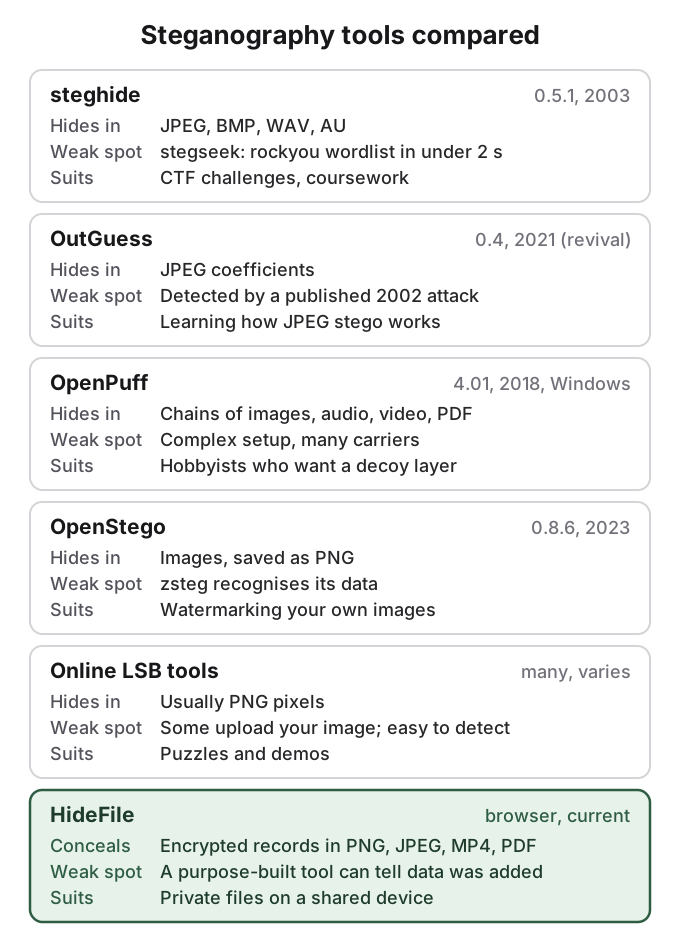
steghide is the classic, and its passphrase is the whole defence
steghide is the tool most CTF write-ups and YouTube tutorials assume, and it is what experienced Reddit commenters reach for: "don't reinvent stego, just use this", as one put it. It hides any file inside a JPEG, BMP, WAV or AU cover. Its project page still says "The current version is 0.5.1", released on 15 October 2003. Linux distributions continue to package it, so it installs easily, but the code itself has not had an upstream release in over twenty years.
Its design is better than its age suggests. steghide compresses and encrypts the payload (Rijndael, the AES cipher, by default), picks pseudo-random positions in the image or audio data using the passphrase, and swaps pairs of values instead of overwriting them, so the overall colour or sample counts stay the same. The project describes this as resistant to "first-order statistical tests". Basic use on your own files looks like this:
steghide embed -cf photo.jpg -ef note.txt
steghide extract -sf photo.jpg
The weak spot is the passphrase. stegseek is a purpose-built steghide cracker whose README says it can "run through the entirety of rockyou.txt in under 2 seconds", rockyou being a leaked list of about fourteen million real passwords. It can also extract steghide metadata without any password, which tells an analyst that a file contains steghide data at all. A dictionary word is therefore no protection. If you use steghide, use a long random passphrase and assume the presence of data can be confirmed.
OutGuess pioneered statistics-aware JPEG hiding, and was broken in 2002
OutGuess was written by Niels Provos in 1999 and works directly on JPEG's compressed coefficients. After embedding, it adjusts other coefficients so the image's overall coefficient histogram matches the original, which was designed to defeat the chi-square attack that caught earlier JPEG tools. In 2002 Fridrich, Goljan and Hogea published an attack based on "blockiness" at JPEG block edges that detected OutGuess and could estimate the hidden message's length.
The original project went quiet for years. A revival group, Resurrecting Open Source Projects, published version 0.4 in September 2021, and that is what current Linux packages ship. Its payload, per Wikipedia, is fragile and does not survive JPEG re-encoding. OutGuess is best treated as a well-documented teaching example of how JPEG steganography and steganalysis leapfrog each other.
OpenPuff hides across many carriers, with a decoy option
OpenPuff is a portable program for Windows (the site also offers a Linux build) by Cosimo Oliboni, and its last version, 4.01, dates from 2018. It is the most ambitious tool on this list. It spreads one payload across a chain of carriers: images (BMP, JPG, PCX, PNG, TGA), audio (AIFF, MP3, WAV and others), video (3GP, MP4, MPG, VOB) and Flash or PDF files, up to 256 MB "if you have enough carriers at disposal". It layers several ciphers and supports deniable steganography: "Top secret data can be protected using less secret data as a decoy."
The cost is complexity. You manage passwords, carrier order and per-carrier settings, and lose one carrier and the chain breaks. Sources disagree on its licence (Wikipedia calls it closed-source freeware, the help file mentions the LGPL), so check before relying on it for anything you need others to audit.
OpenStego is the friendliest desktop option, best for watermarks
OpenStego is a free, GPL-2.0 Java app with a graphical interface on Windows, macOS and Linux. Its latest GitHub release is 0.8.6 from January 2023. It does two jobs: hiding data in an image with a randomised LSB method, and watermarking images with an invisible signature so you can later prove a copy came from you.
For hiding, output is saved as PNG, which is lossless, so the payload survives until someone converts the image to JPEG. Detection is well studied: zsteg, a common PNG and BMP analysis tool, lists OpenStego among the formats it recognises. OpenStego offers password-based AES encryption, but its source derives the key with a fixed salt and only a few iterations, which makes weak passwords cheap to guess. Use it for watermarking your own published images, or for LSB hiding where being found is not a problem.
Online steganography tools are fine for puzzles, not for private files
The Bing summary above points to browser tools such as StegoToolkit, SteganoCrypt and StegOnline, and the top organic result for "steganography tools" is an online encoder. Most do simple LSB embedding in a PNG, which is exactly what statistical detectors are tuned for. The bigger question is where your image goes. Some pages process the image in your browser; others upload it to a server to encode it. A page rarely says which clearly, so open your browser's network tools or read the site's documentation before putting anything private into one.
Detection tools are the other half of the landscape
The same communities that build hiding tools build finders. stegseek targets steghide. zsteg checks PNG and BMP files for LSB data and known tool signatures. Stegdetect, the JPEG detector used in the 2001 eBay study, is no longer developed. On r/computerforensics, a user asking for a modern replacement reported that a set of detectors, StegExpose among them, found nothing in an image they had made with steghide: "None of these tool found anything." A clean result proves little, and a flag proves little more, as can hidden photos be detected explains with the numbers.
HideFile is concealment plus encryption, not classic steganography
HideFile is a website, used in any modern browser, that puts private photos, videos, PDFs and documents inside an ordinary cover file: a photo, video or PDF of your choice. The cover opens as a normal file everywhere. Opened at hidefile.app with the password, it shows the files inside as a private gallery.
It is not steganography in the strict sense, and it does not pretend to be. HideFile does not change a single pixel or try to look statistically normal. It encrypts your files in the browser (XChaCha20-Poly1305, with the key protected by your password through Argon2id) and stores them as records that the file format allows for extra data, so the file stays valid. A purpose-built tool can tell that data was added; it cannot read the contents without the password. Files are not uploaded to a HideFile server.
What it offers that the classic tools do not is practicality: whole folders, large videos and PDFs, a browsable gallery, nothing to install, and a cover you can copy to a new phone or back up like any other file. What it does not offer is invisibility to an analyst. How steganography works explains the difference between the methods.
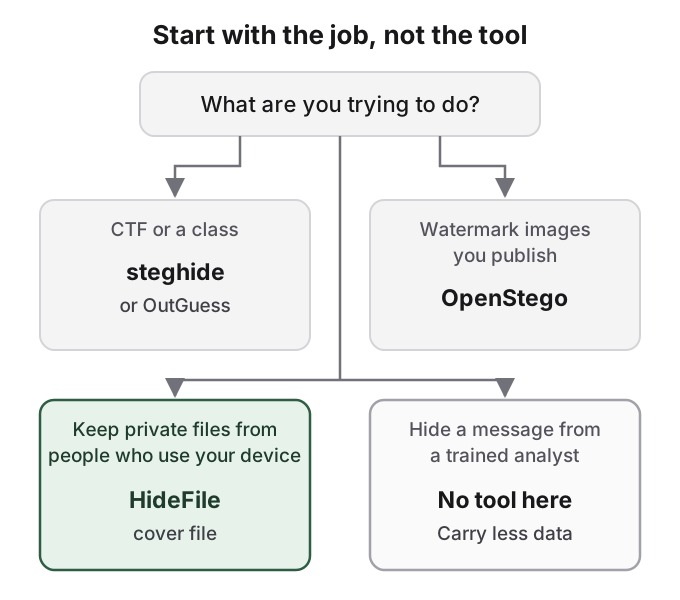
How HideFile can help
If the reason you are comparing steganography tools is that you want private photos or files on your phone or laptop to stop being obvious, the classic tools fit badly. steghide and OutGuess hold small payloads and need a terminal. OpenStego needs a desktop and PNG. Online encoders may upload your image. A photo vault app, the other common answer, announces itself with its icon, as is a photo vault app safe covers.
HideFile is built for that everyday case. Pick a cover, add files, set a password, and save the cover where you keep your other photos or documents. Anyone scrolling past sees an ordinary picture. Be clear about the limits: HideFile stops casual snooping, not forensic tools; there is no password recovery, so a forgotten password means the files are gone; and apps that re-encode photos can strip the hidden part, so send and back up the cover as a file. For a trained examiner, a border search or legal pressure, it is the wrong tool, and so is everything else in this table. For the tricks people use without any special software, see how to hide files in plain sight.
Sources
- steghide: project home (version 0.5.1, 2003-10-15; checked 2026-10-14)
- stegseek: GitHub repository and README (v0.6, 2021; checked 2026-10-14)
- OutGuess: Resurrecting Open Source Projects repository (0.4, 2021-09-03; checked 2026-10-14)
- Wikipedia: OutGuess (checked 2026-10-14)
- OpenPuff: project home and help file v4.01; Wikipedia: OpenPuff (checked 2026-10-14)
- OpenStego: project home, GitHub releases (0.8.6, 2023-01-30) and key derivation source
- zsteg: GitHub repository (checked 2026-10-14)
- Provos and Honeyman, Detecting Steganographic Content on the Internet, CITI Technical Report 01-11, 2001
- Reddit, r/computerforensics: Is there any tool to identify steganography?
- Reddit, r/Steganography: PNG download keeps the data, WebP does not